
FEATURE GUIDE · LEGACY BROWSER BUILD
What the Ages of Conflict Browser Demo Supports
The free browser build is a compact version of the original simulation. It includes the core AI-world loop, several legacy maps, basic map creation, and limited intervention—but not the modern full game's complete toolset.
What you can do in the browser demo
Which maps are in the demo?
The launcher itself is the most reliable map list for the current embedded build. Use A and D to cycle through every available option before starting. The visible launcher includes maps such as Skull Island, and the legacy demo's published update history added or revised maps including North America, Japan, the Middle East, Middle Earth, and the World Map.
Map names and availability should not be confused with the many modern scenarios shown on Steam Workshop or in current full-version screenshots. Those belong to the paid game and its community ecosystem. If a map is not visible in the browser launcher, assume it is not part of this demo rather than repeatedly refreshing.
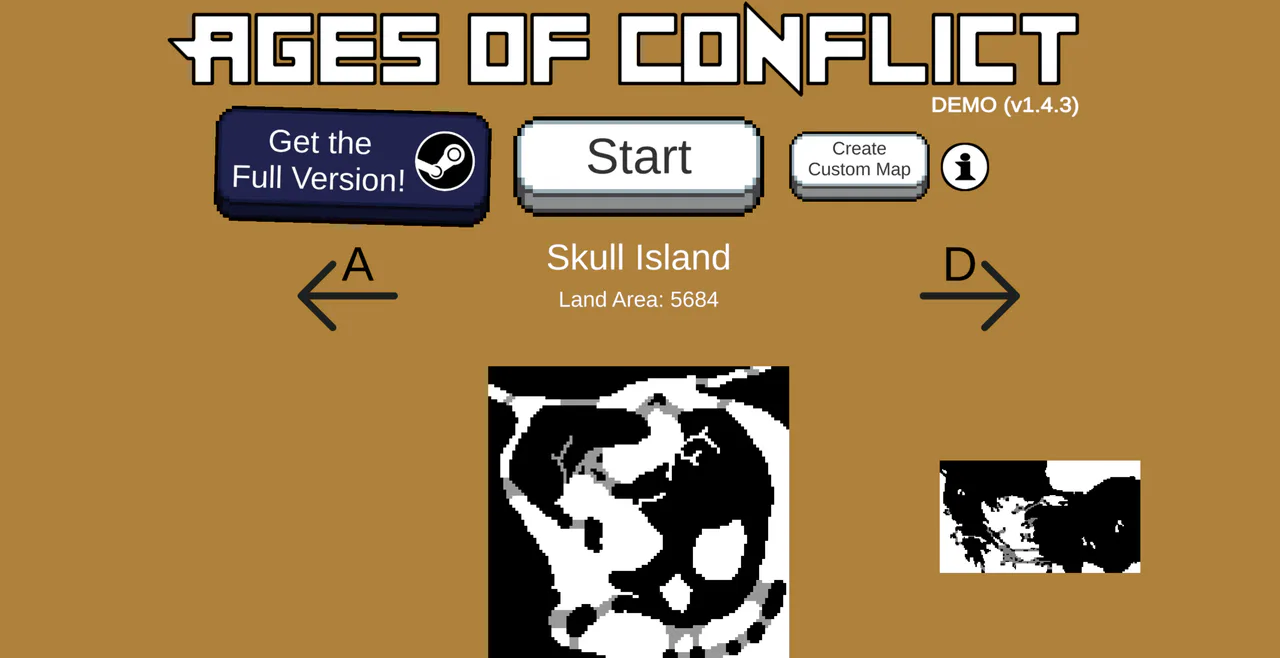
- Choose the map: A and D sit beside the selected map name. Here it reads Skull Island, with a land area of 5684.
- Start: the large central button is the entry to the selected simulation. The Steam purchase button to its left is a separate action.
- Create Custom Map: this is a separate menu option. Its presence does not imply Steam Workshop or modern scenario-editor support.
What God Mode functions does the demo have?
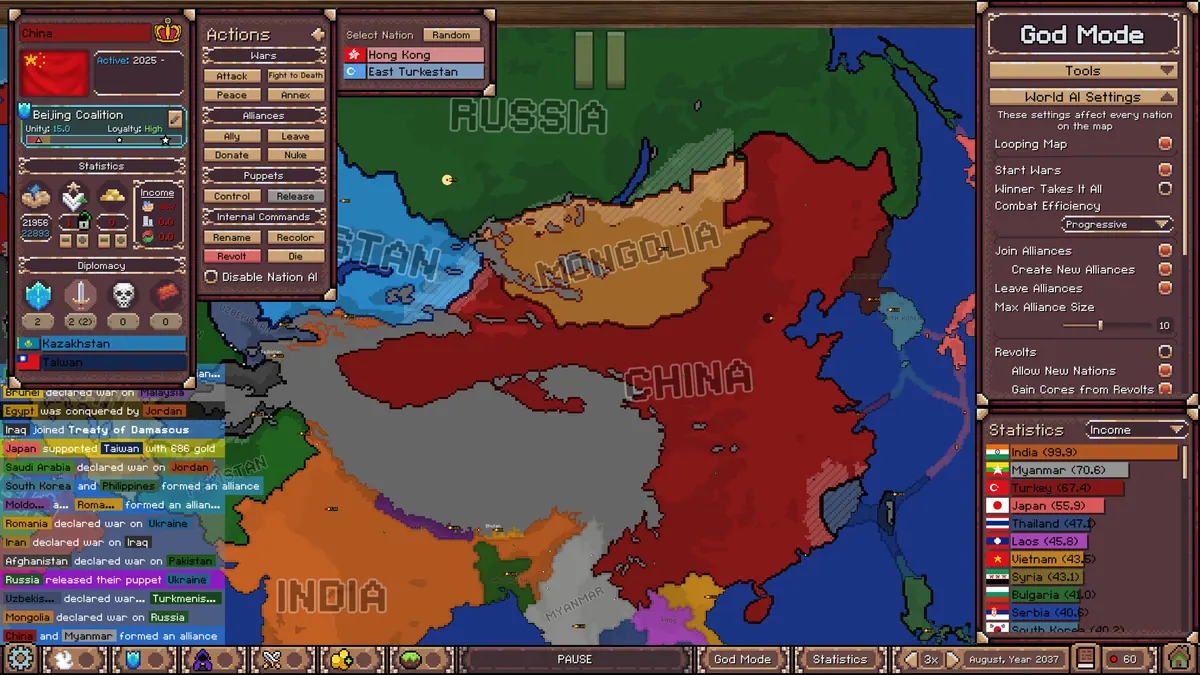
“God Mode” can be confusing because the name also refers to the much larger tool panel in the modern full game. The legacy demo introduced basic actions from the nation view. They can let you select a nation, make it attack a neighbouring target, or manually spawn a revolt. The nation remains autonomous after your intervention, and you do not control how long a war lasts or exactly how the result develops.
Use these actions after the natural simulation slows down, not at the first opportunity. One forced conflict or revolt is usually enough to create a new chain of events. If you want to paint borders and terrain during play, edit nation statistics, control AI behaviour, manage world settings, or use newer event tools, those are full-version features.
How the browser custom-map option works
Choose Create Custom Map from the demo launcher to paint a land shape, then start a simulation on it. The feature is useful for testing islands, narrow land bridges, or separated continents because geography changes where nations meet and how fronts develop.
Keep the first map simple. Large solid areas help you see expansion clearly; very thin paths or tiny disconnected islands can produce a slower or less readable opening. Most importantly, custom browser maps are temporary. The developer has stated that the downloadable demo can save custom maps while the browser version does not preserve them in the same way.
Can you use a map another player shared?
A map screenshot is not an importable scenario. Check the platform, game version, and available map or scenario file before trying to recreate another player's setup. A creation made on mobile or in the full version may not work in the legacy browser demo.
Features you should not expect in the browser demo
- The full modern scenario editor and its detailed starting conditions.
- Steam Workshop browsing, subscribing, publishing, or hundreds of community scenarios.
- The full set of newer God Mode tools for terrain, borders, statistics, AI behaviour, and world settings.
- The larger modern maps, current economy systems, puppet-state systems, and every recent update.
- Reliable long-term saving of a browser-created map or an active simulation.
These limits are intentional: the browser build is an introduction and a playable time capsule. It is still enough to decide whether the game's emergent-history loop appeals to you.
Check the demo launcher ↑