
FREE BROWSER DEMO · PLAY ABOVE
AGES OF CONFLICT
Ages of Conflict: World War Simulator is an engaging map simulation game where you can spawn and observe custom or random AI nations battle across an endless variety of worlds. Nations expand, declare wars, form alliances, make peace, revolt, and collapse without following a fixed campaign. Play the free browser demo above and a different alternate history will emerge in every session.
How to Play Ages of Conflict Online
1. Choose a Map and Start the Simulation
Use the A and D map selectors shown on the menu to browse the available demo maps. Press Start, then allow the AI nations to act on their own for the first few minutes. Watch borders move as wars, peace deals, alliances, revolts, and national collapses change the map.
2. Inspect Nations and Control the Pace
Click a nation or city to inspect what is happening. Pause the simulation when several conflicts begin together, or increase the speed when you want to follow decades of history. The game is most interesting when you track one small nation and see whether it survives, expands, or disappears.
3. Intervene with God Mode
When you want to influence the outcome, use the legacy nation actions available in the demo. Select a nation, push it to attack a neighbour, or trigger a revolt when the option is available. The AI remains in control, so one small change can create a new chain of events without scripting the entire result.
Ages of Conflict Controls
The browser demo uses simple mouse controls and visible interface buttons. These are the controls you need to begin a simulation and follow the action.
What Is Included in the Free Browser Demo?
The online version lets you start AI map simulations, browse several demo maps, observe wars and political changes, try a basic custom map option, and experiment with the core idea of Ages of Conflict for free.
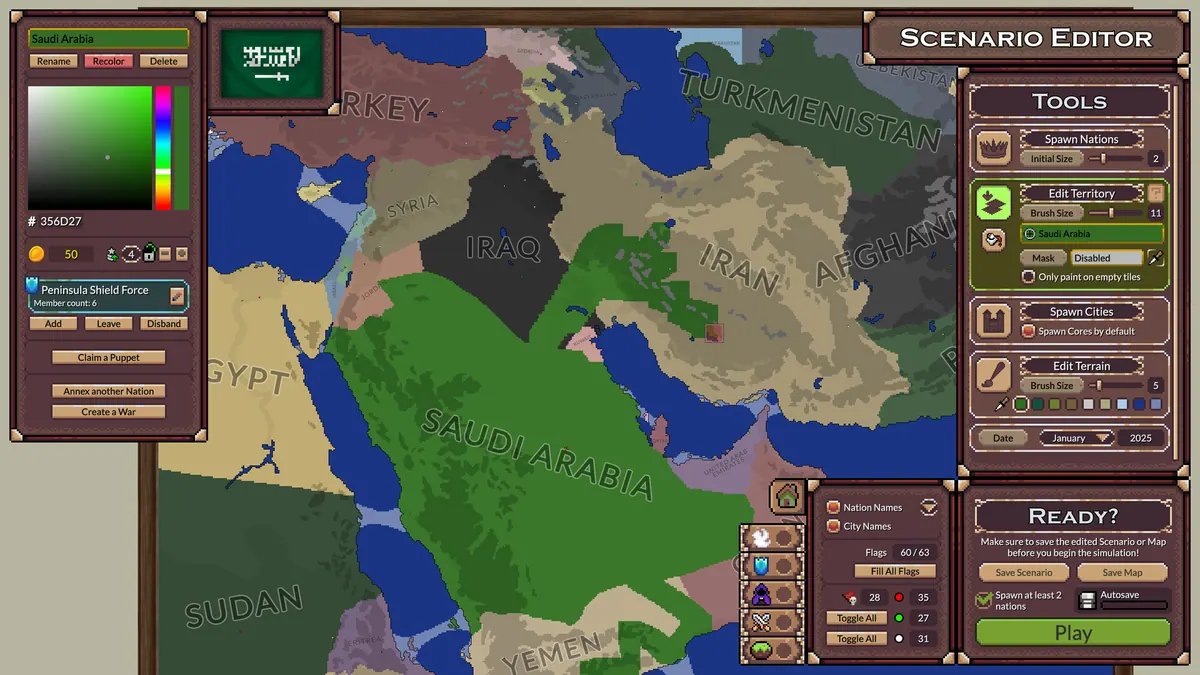
The paid full version adds larger maps, pre-made scenarios, deeper God Mode controls, more terrain and economy options, the robust scenario creator, and community content through Steam Workshop. Start with the browser game; only move to the full version if you want to create or download more complex worlds.
Three Things to Try in Your Next Simulation
Follow One Small Nation
Choose a small country at the beginning and inspect it whenever the borders change. See whether diplomacy keeps it alive or one bad war removes it from the map.
Create Two Rival Alliances
Let the simulation develop, then use God Mode to place nearby powers into opposing blocs. Resume the game and watch whether the balance holds or triggers a much larger conflict.
Replay the Same Map
Restart the selected map and compare the result. Because the AI does not follow one scripted campaign, alliances and borders can develop differently even when the starting world is the same.
What Can You Do in Ages of Conflict?
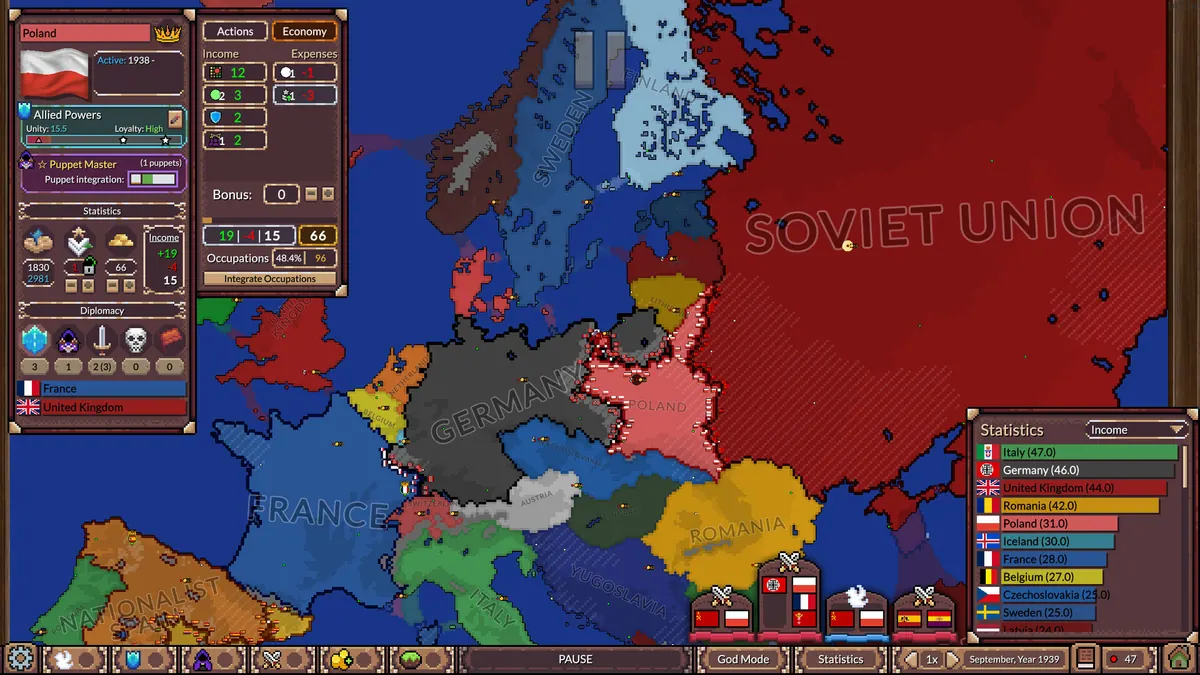
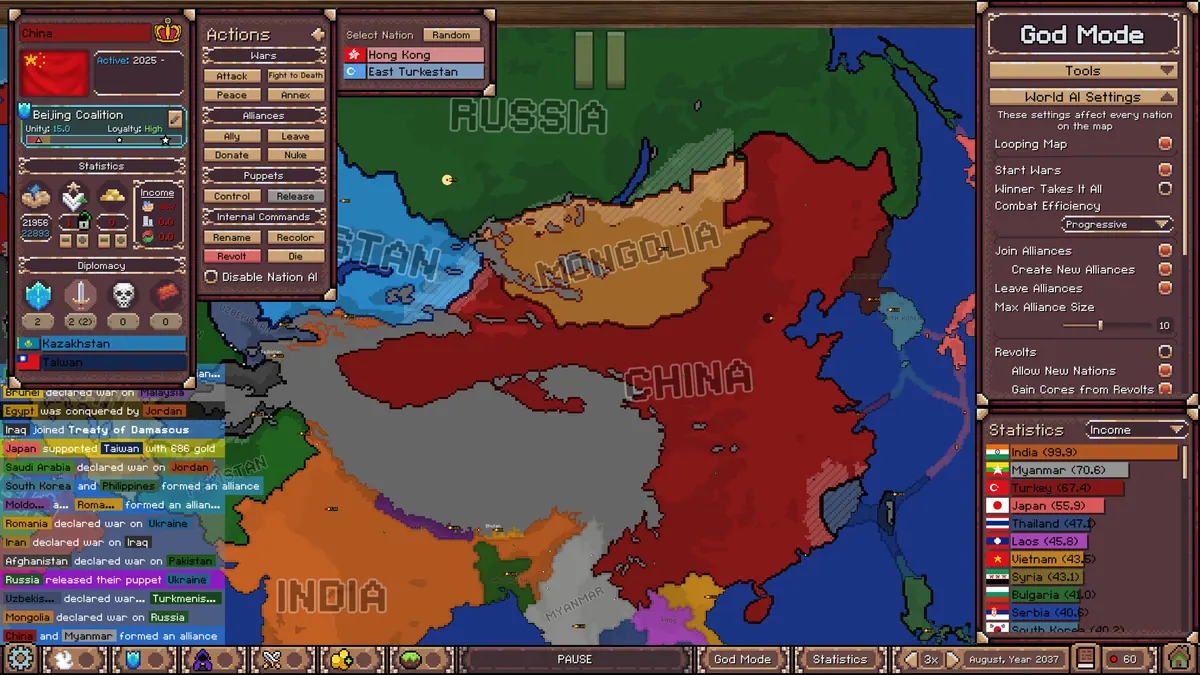
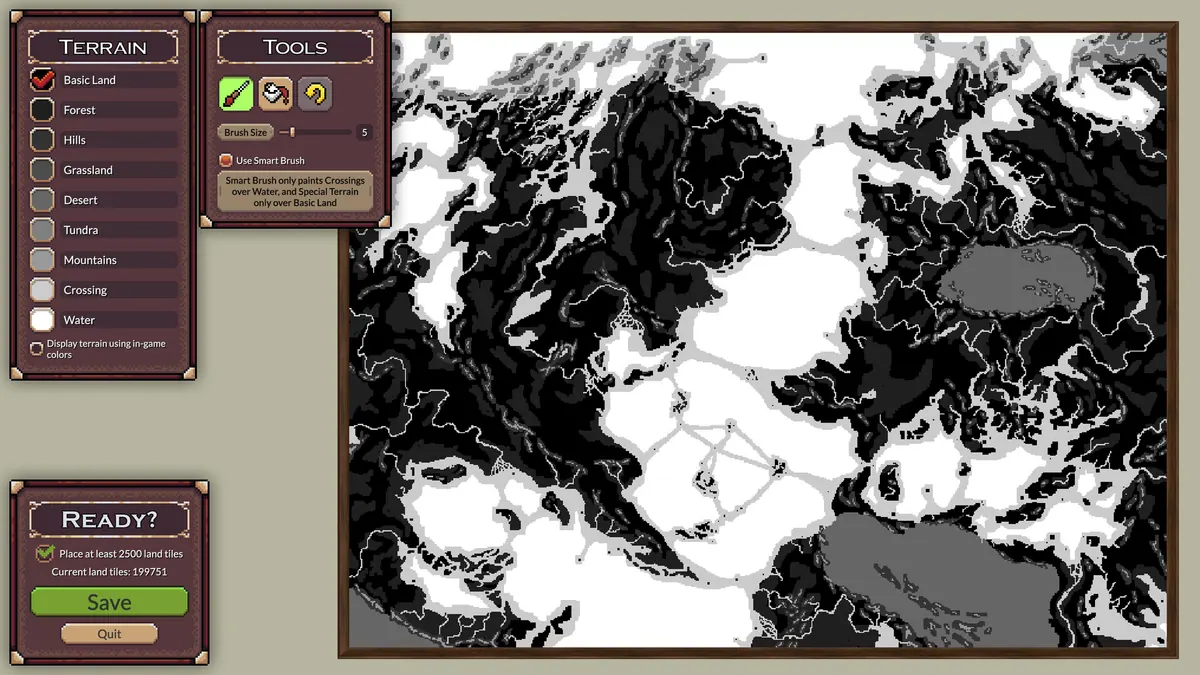
See how a session can grow from a blank map into an alternate history. You can watch AI nations compete, change events with God Mode, build custom worlds, and prepare your own scenarios. The browser demo above uses the same core idea but has fewer maps and creation tools than the full game.
Browser Demo Troubleshooting
Ages of Conflict runs in a Unity WebGL frame. If the game stays blank, wait for the initial load to finish and avoid switching tabs during startup. Then press Restart below the frame. Make sure WebGL and hardware acceleration are enabled in an up-to-date desktop browser. Fullscreen works best after the main menu has appeared.
PLAYER GUIDES
Get More from the Browser Demo
Use these focused guides to choose the right version, understand your first simulation, solve browser problems, and check what the legacy demo actually supports.
Ages of Conflict FAQ
- Can I play Ages of Conflict online for free?
- Yes. The game at the top of this page is a free browser demo. Choose a map, press Start, and watch the AI nations build an alternate history without installing the game.
- Is this the full version of Ages of Conflict?
- No. This is the free browser demo. The paid Windows and Linux version includes larger maps, more scenarios, a stronger scenario creator, additional God Mode tools, economy settings, and Steam Workshop support.
- Why is the Ages of Conflict browser game not loading?
- The Unity WebGL demo may take a moment to initialize. Keep the tab open, make sure WebGL and hardware acceleration are enabled, then use the Restart button if the frame remains blank. A current desktop browser gives the most reliable experience.
- How do I pause or speed up the simulation?
- After starting a map, use the visible pause and speed controls inside the game interface. Pause when you want to inspect a war or nation, then increase the speed to watch longer periods of history develop.
- Can I create custom maps in the free browser demo?
- The demo includes a basic Create Custom Map option for trying the map system. The full version has the robust scenario creator, larger maps, more setup controls, and community scenarios through Steam Workshop.
- When was Ages of Conflict update 4.4.0 released?
- Version 4.4.0 was released on April 23, 2026. It added rightful territories, land integration, three puppet types, puppet loyalty and autonomy, and a World Map 1956 scenario.
OPTIONAL RESOURCES
More Ages of Conflict Resources
Update Archive
Version 4.4.0 was released on April 23, 2026, rather than being an upcoming update. Later releases continued improving territory painting, flags, revolt borders, and the visible action on the map.
Community Maps and Help
Use Steam Workshop to find community scenarios, the wiki to check mechanics, Discord for support and update discussion, or Reddit for maps, questions, and simulation stories.